Assessment Workflows – Getting Started
Assessments and milestones work together to help users and managers track key steps in the accreditation process. When thoughtfully planned, assessments combined with milestones create a unified calendar and to-do list for accreditation-related activities.
In AB Manager, an assessment represents a recurring process made up of predefined steps, called milestones. Because real-world assessment workflows do not always follow rigid due dates, milestone target dates are used to define an expected sequence of tasks rather than fixed deadlines.
Assessments are especially useful for tracking critical processes that occur on a consistent frequency across all laboratories. For example, annual laboratory renewals and biennial on-site assessments can be efficiently tracked and managed using the Assessments module.
For more detail on configuring assessments, see the Setup → Assessment Types & Milestones section of the knowledge base.
Using On-Site Assessment Tabs (as needed)
All assessments in AB Manager include a scheduling component, which consists of assessment types, milestones, target dates, and to-do list items. This scheduling functionality shown in the Workflow tab is used for every assessment, regardless of whether an on-site visit is involved.
Some assessments also include an on-site evaluation. When an assessment involves an on-site visit, additional tabs and tools may be used, including:
- On-site information
- Checklists
- Images
- Observations and findings
- Reports
- Word reports
Many assessments, however, are used only for scheduling and workflow tracking and do not require any on-site assessment tools. This is expected behavior and does not indicate that an assessment is incomplete.
When setting up assessment types, accreditation bodies should consider whether the assessment will require on-site evaluation tools or will be used strictly for scheduling and tracking purposes.
Preparation & Planning
Assessment types should be configured to reflect the specific workflows used by your accreditation body. Assessment types can be thought of as parallel “train tracks,” each representing a distinct recurring process. Some assessment types may share milestones, while others may be entirely unique.
Before setting up assessment types and milestones, the accreditation body should identify and document:
- The key recurring processes to be tracked
- The major steps (milestones) involved in each process
Because each assessment milestone generates an item on the AB Manager to-do list, we recommend keeping milestone lists as simple and focused as possible.
Example Type 1 – Annual Renewal
For the annual renewal process, the following milestones might be defined:
- Send renewal letter, scope, and invoice (5 months before due date)
- Receive application and payment from laboratory (4 months before)
- Review application, PT results, and supporting materials (3 months before)
- Adjust approved parameters as needed (2 months before)
- Complete manager review (1 month before)
- Send new certificate and scope (due date)
Example Type 2 – On-site Assessment
Laboratories may also require an on-site assessment every two years. Typical milestones might include:
- Schedule on-site assessment and request documentation (6 months before)
- Receive QA Plan and SOPs from laboratory (5 months before)
- Conduct on-site assessment (4 months before)
- Send assessment findings to laboratory (3 months before)
- Receive and approve corrective actions (2 months before)
- Adjust approved parameters as needed (2 months before)
- Complete manager review (1 month before)
- Send new certificate and scope (due date)
Milestones Tab
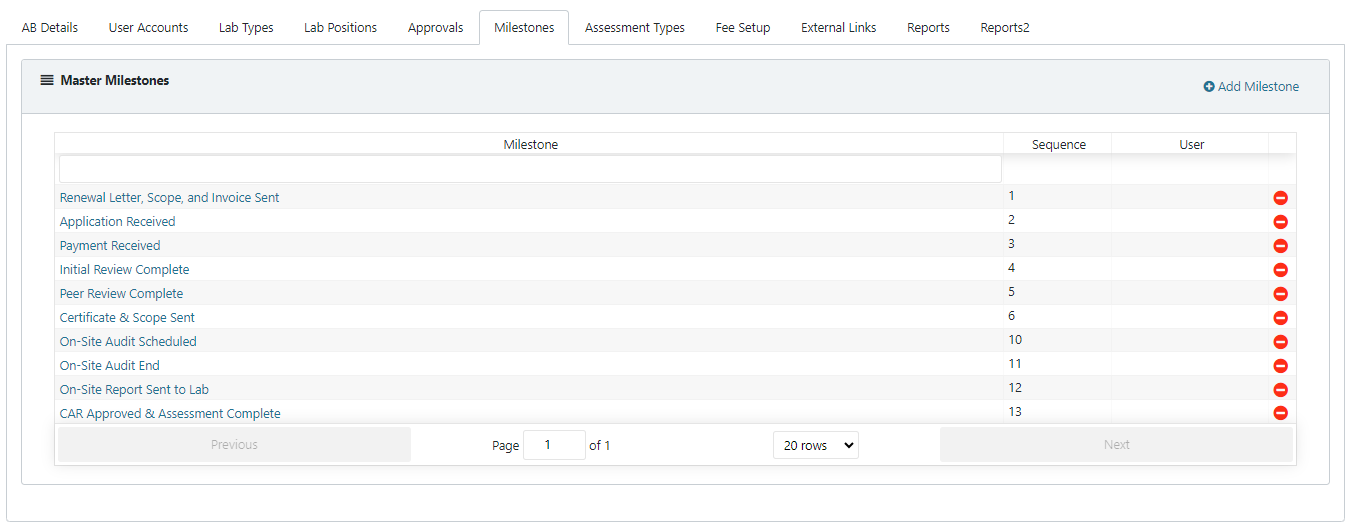
Once identified, milestones are created in the Milestones tab. Each milestone includes:
- A name
- A sequence order
- An optional assigned responsible person
Milestones can be reused across multiple assessment types.
Assessment Types Tab
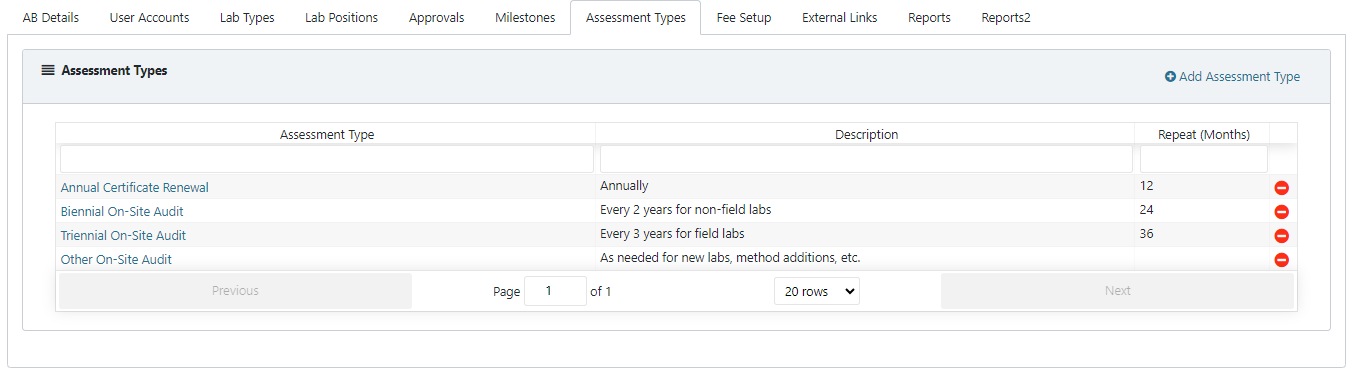
Assessment types are created in the Assessment Types tab. Each assessment type includes:
- A name
- A description
- A default repeat frequency (in months)
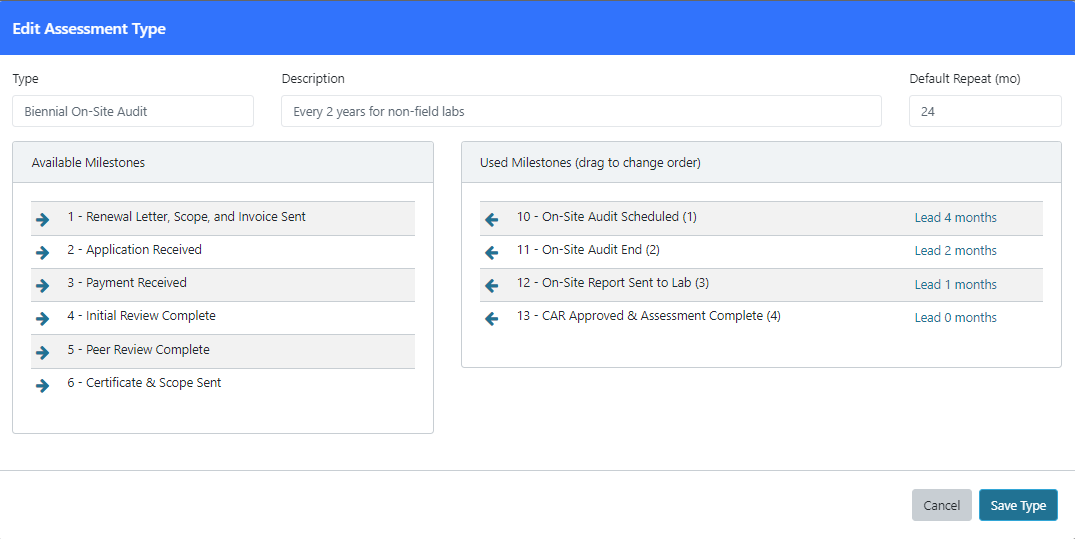
After creating an assessment type, milestones can be added to it. Available milestones appear on the left, while selected (active) milestones appear on the right.